From the app, you can activate automatic payments from the payment
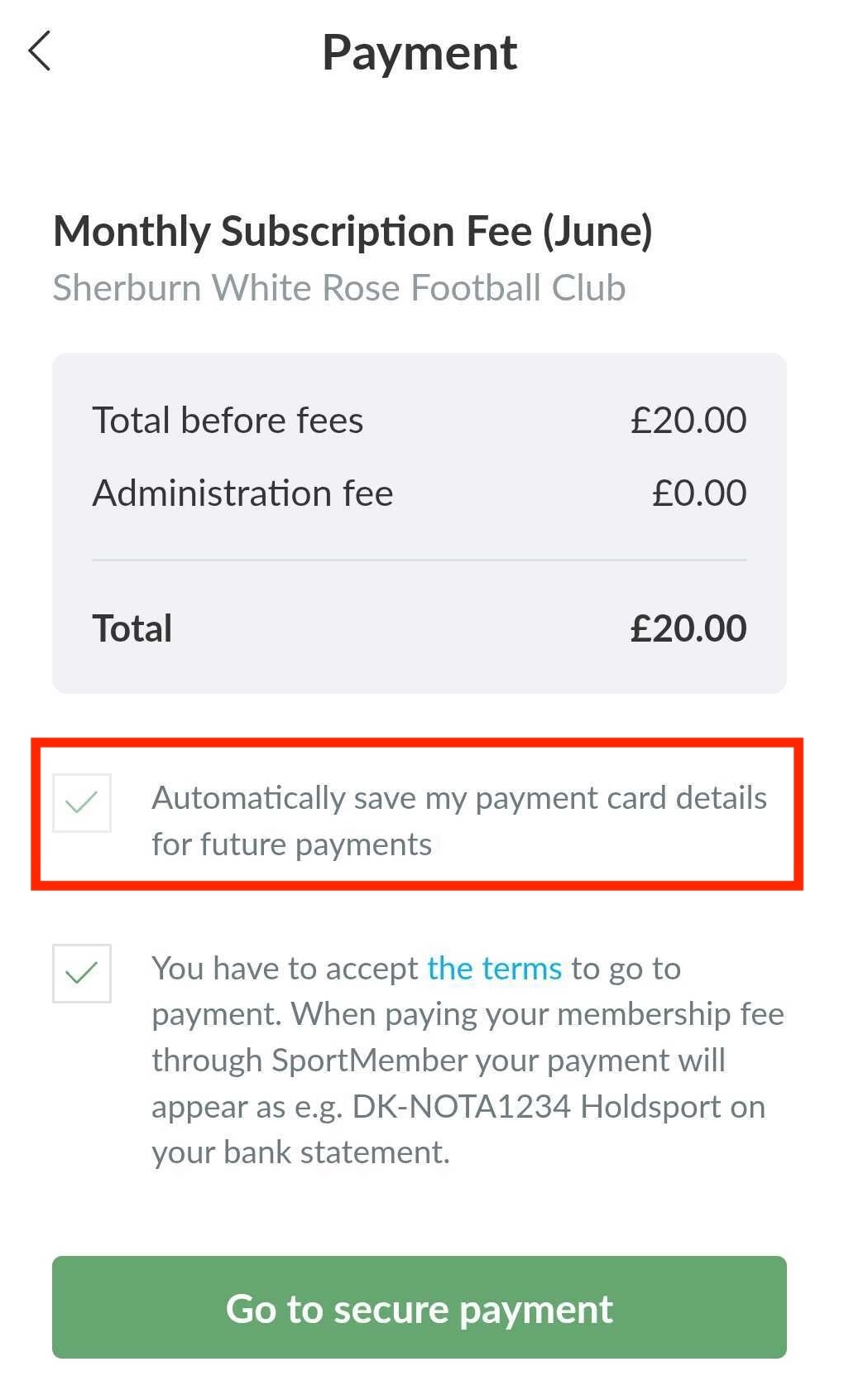
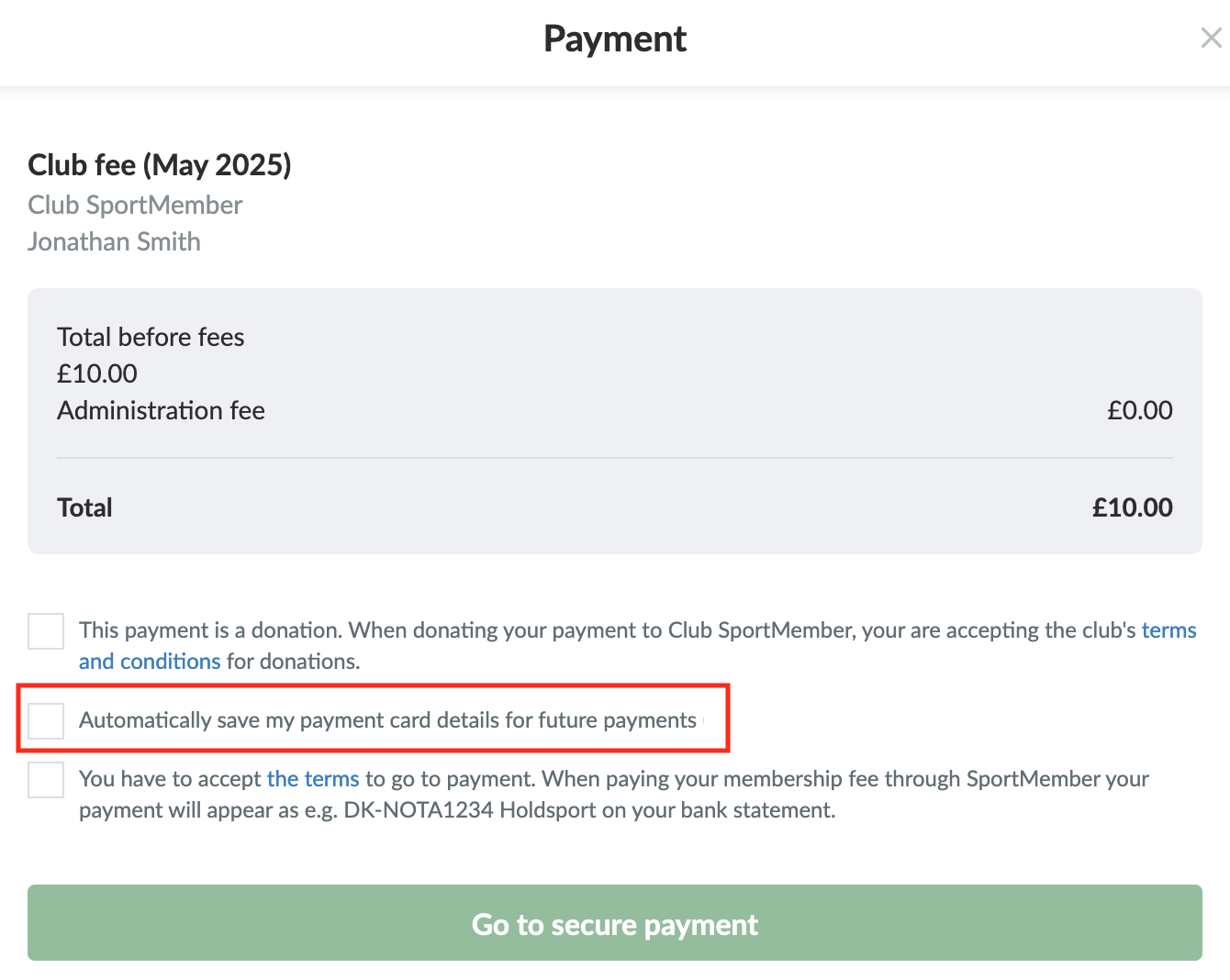
When you open the payment (whether from the email, feed or profile settings) and enter your payment method, you can choose to save it on your profile so you can automatically be charged in the future.
Simply check the "Automatically charge subsequent installments to my payment card" box.
You can activate automatic payment in 2 different ways:
1. From the payment
When you open the payment (whether it's from the email, feed or profile settings) and enter your payment method, you can choose to save it on your profile so you can automatically be charged in the future.
Simply check the Automatically save my payment details for future payment
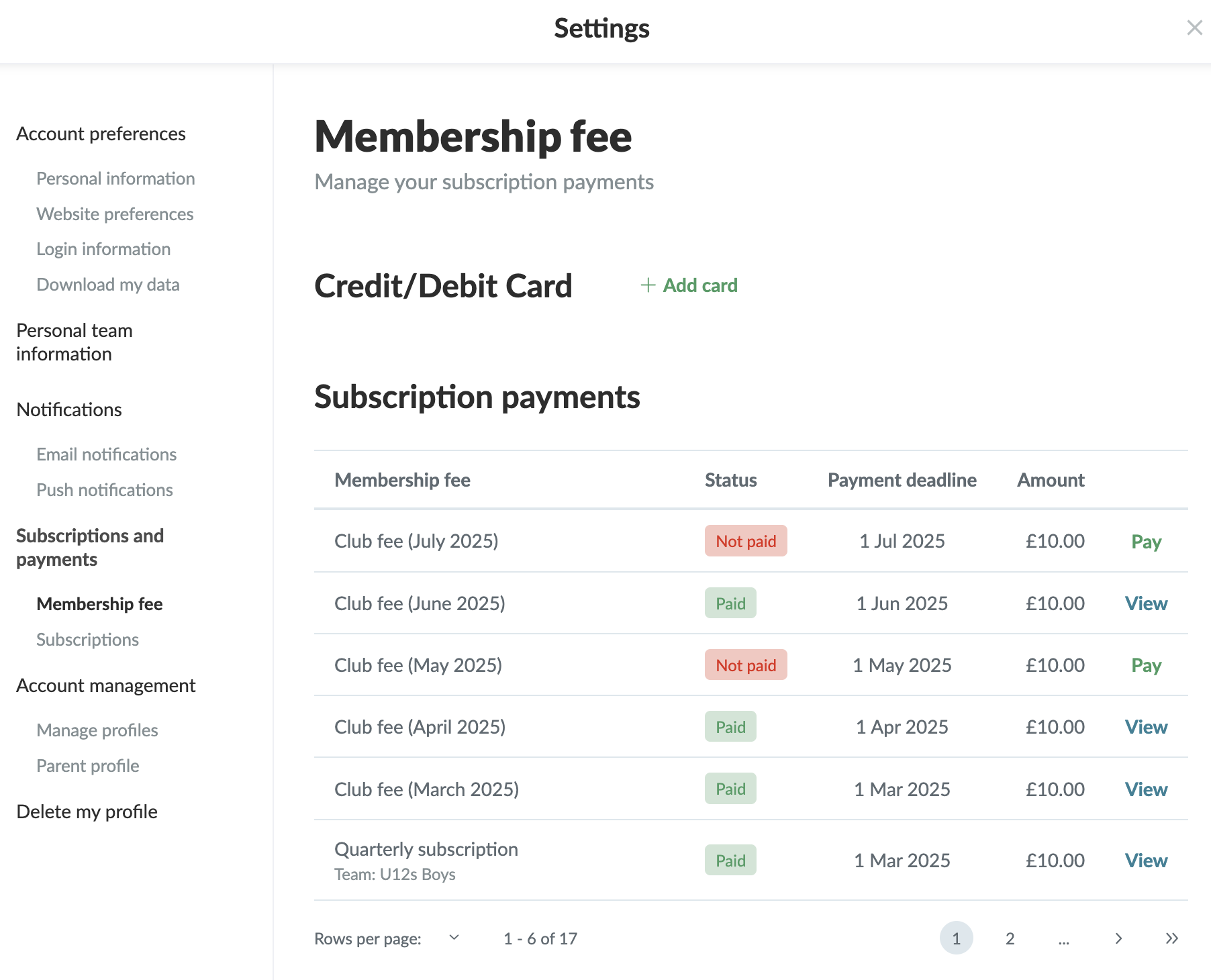
2. From your profile settings, under payment overview
Click onTools and Profile settings in the bottom left corner
Explora SportMember o crea una cuenta de inmediato y comienza a administrar tu club. También eres más que bienvenido a contactarnos, nos encantaría ayudarte a configurar tu club.