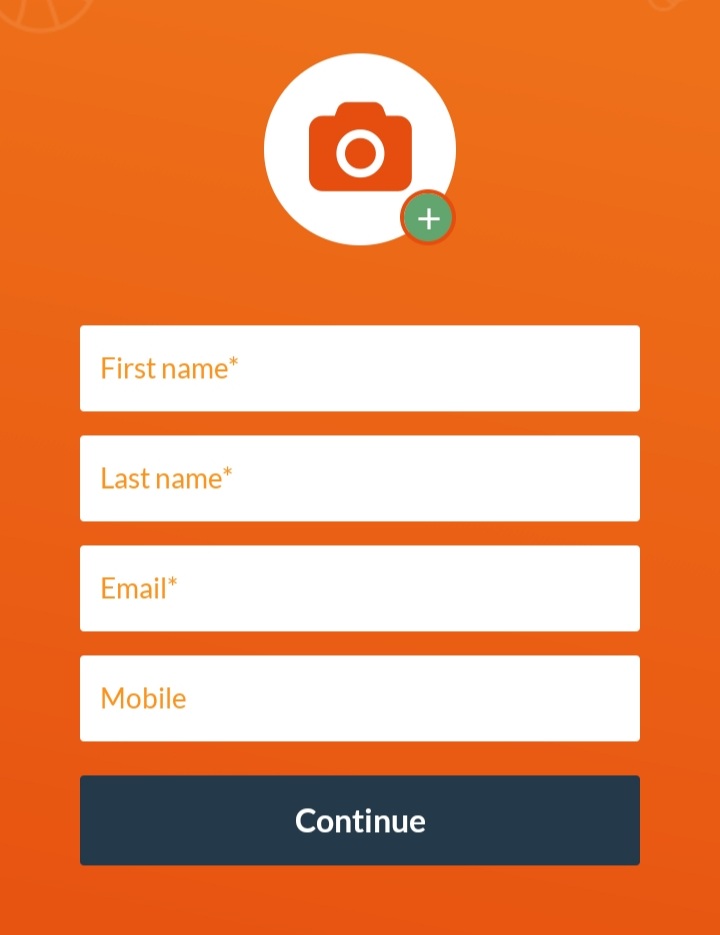
Enter first name, last name, email and mobile number and profile picture if available and finish with Continue
Enter your desired username (must be unique) and password and accept the terms
Click on Create profile and then Sign up for a team
Choose between one of these two options:
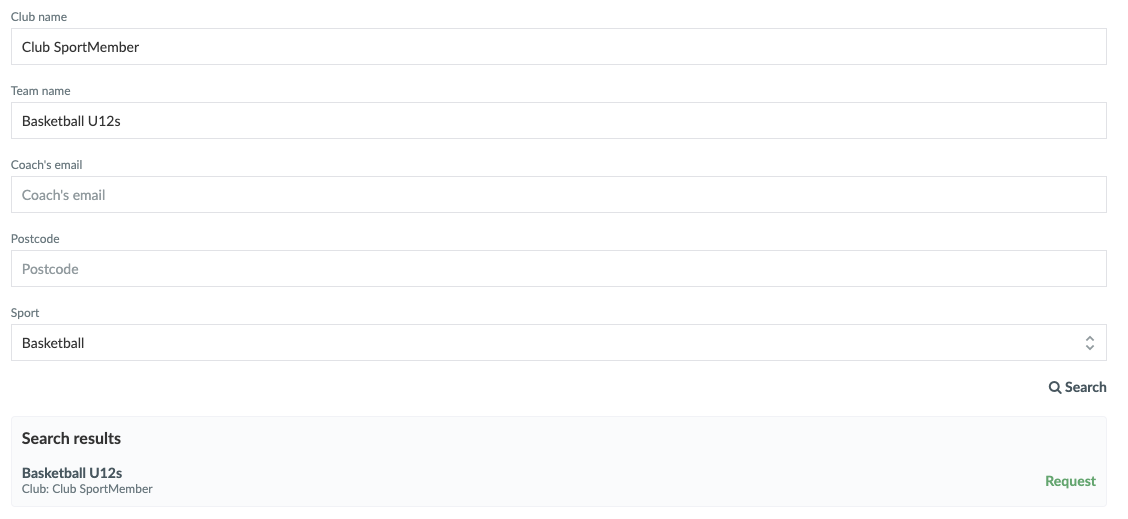
Search for your team
Enter team name or club name and press Search.
Then apply to join the team
Use team abbreviation and registration code
Enter the team abbreviation and password given to you by the team coach
Register by clicking Continue
If you use Search for your team, your coach will receive your request and once he accepts, you will receive the welcome email. Until then, you can log in to SportMember, but without being assigned to a team yet.
TIP: You can also find a new team even if you are already logged in and are a member of another team. Press at the top right and then JOIN AN EXISTING TEAM
1. Creation via invitation link
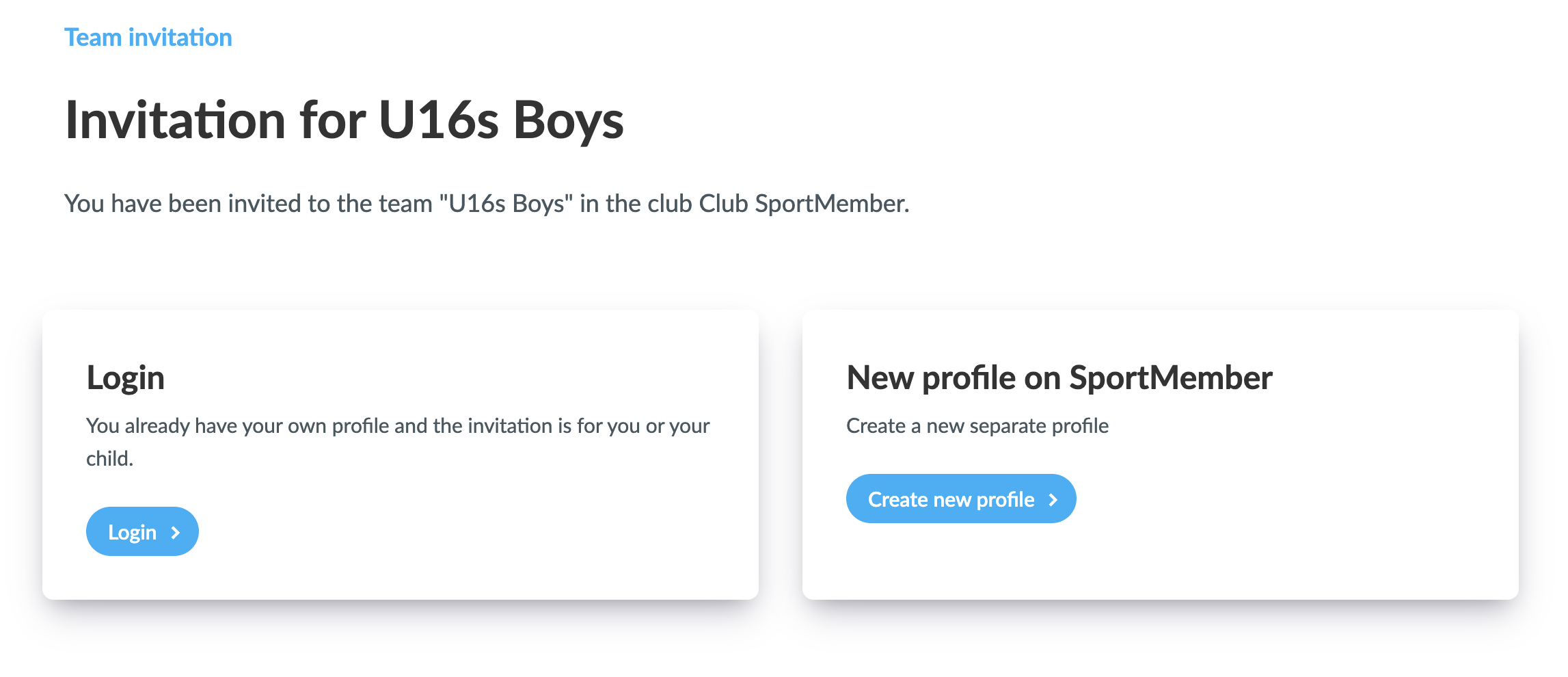
If you receive an invitation from your coach to join a team on SportMember, it is done via a unique invitation link for the specific team.
If this is your first time using SportMember, you will be asked to Log in or Create a new profile on SportMember.co.uk
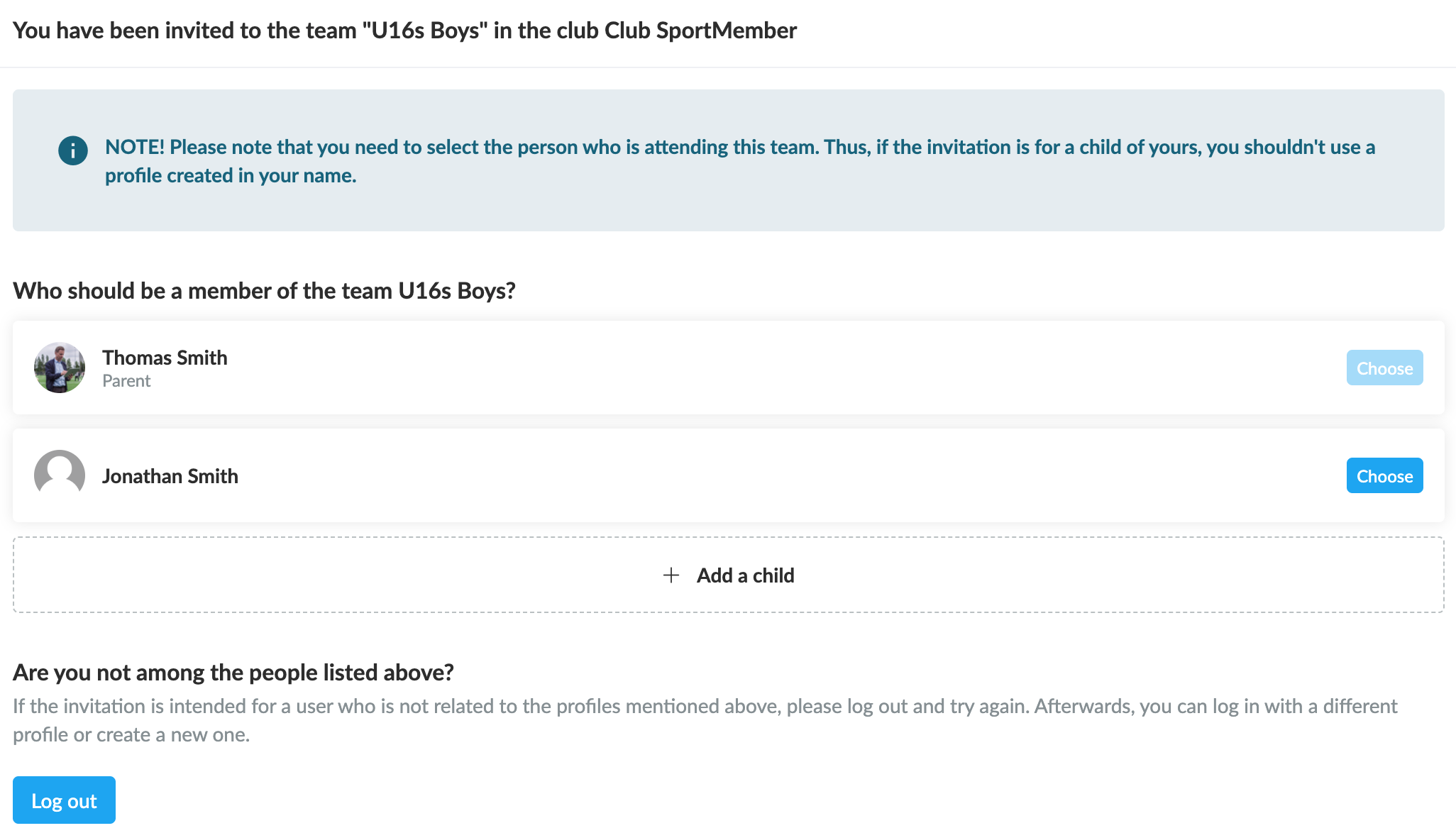
If you are already logged in to SportMember and using it already, you will be given several options as you can use your existing profile, create a new one or even create a parent profile for your child if he/she is to be added to the team.
You can select:
Log out and create a new user (if you want to create an entirely new profile).
Link a child (if the invitation is for your child, who does not yet have a profile in Holdsport).
Select your child’s profile, which is linked to your profile (if your profile is set up as a parent profile).
Select your existing profile (the one you are already logged into).
Note: You must select the profile of the person who will join the team. So if the invitation is for your child, do NOT use a profile created in your own name!
Click on "Create new user" if you want to create a completely new user, and thus NOT use your own profile or your already associated child for this team.
2. Creation via the registration form on a club's website
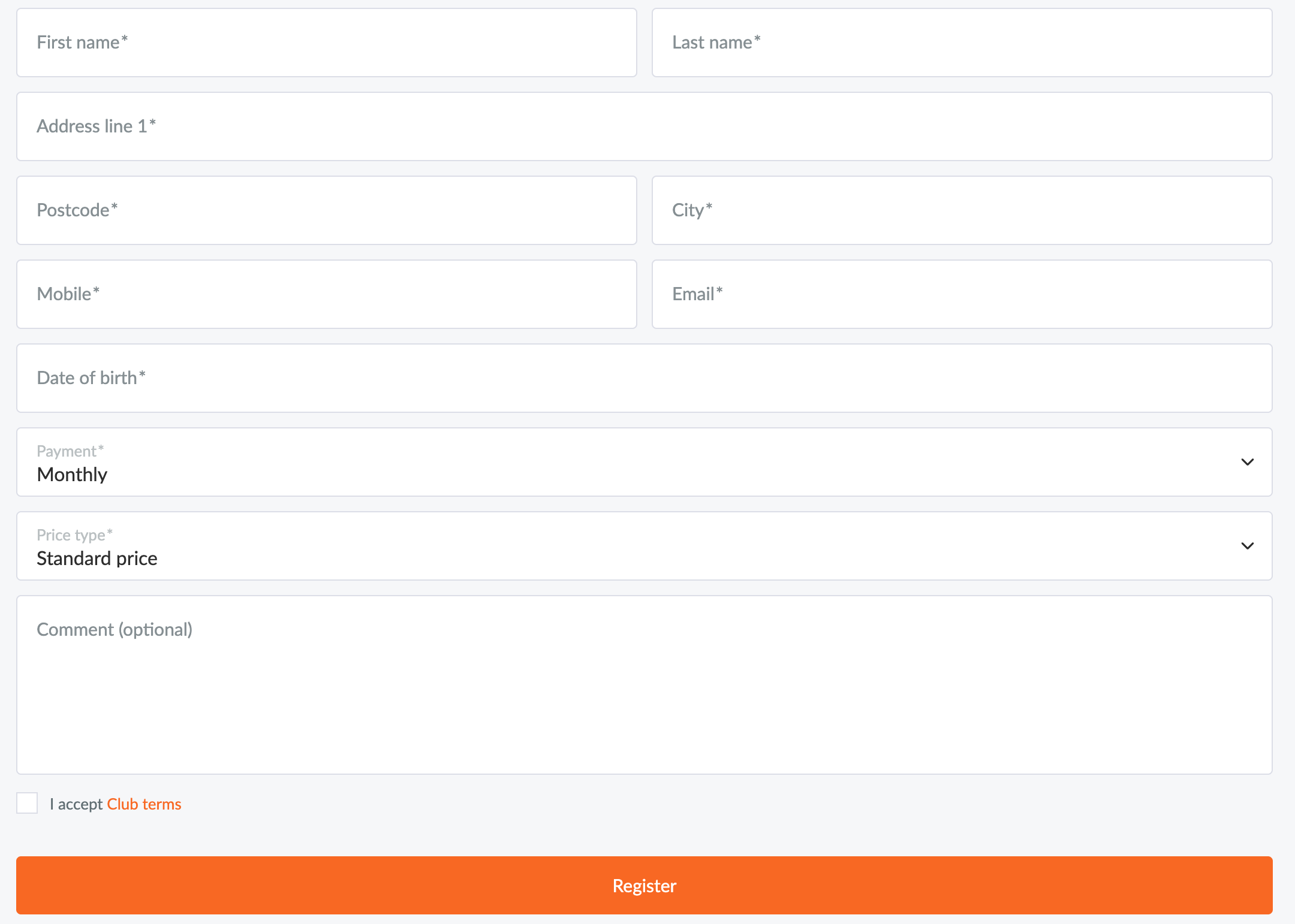
If the club has a website through SportMember, you can most likely register via a registration form for the specific team.
Your club will now receive your request and once he accepts, you will receive the welcome email.
NOTE:When using the registration form, your profile will only be created on SportMember once the coach/administrator has approved your request.
3. Join a new team with an existing SportMember profile
You can be a member of multiple teams using the same profile.
Click on the dropdown menu in the top-left corner, followed by + Add a team and Connect an existing team
Enter the exact name of the team and/or club and click Search
Then request to join the team
Search for teams and request membership
Your coach/club will now receive your request and once he accepts, you will receive the welcome email.
Until then, you can log in to SportMember, but without being affiliated to a team yet.
TIP: You can also find a new team even if you are already logged in and are a member of another team. Click on at the top right and then JOIN AN EXISTING TEAM
4. Switch to another team within the club – with an existing SportMember profile
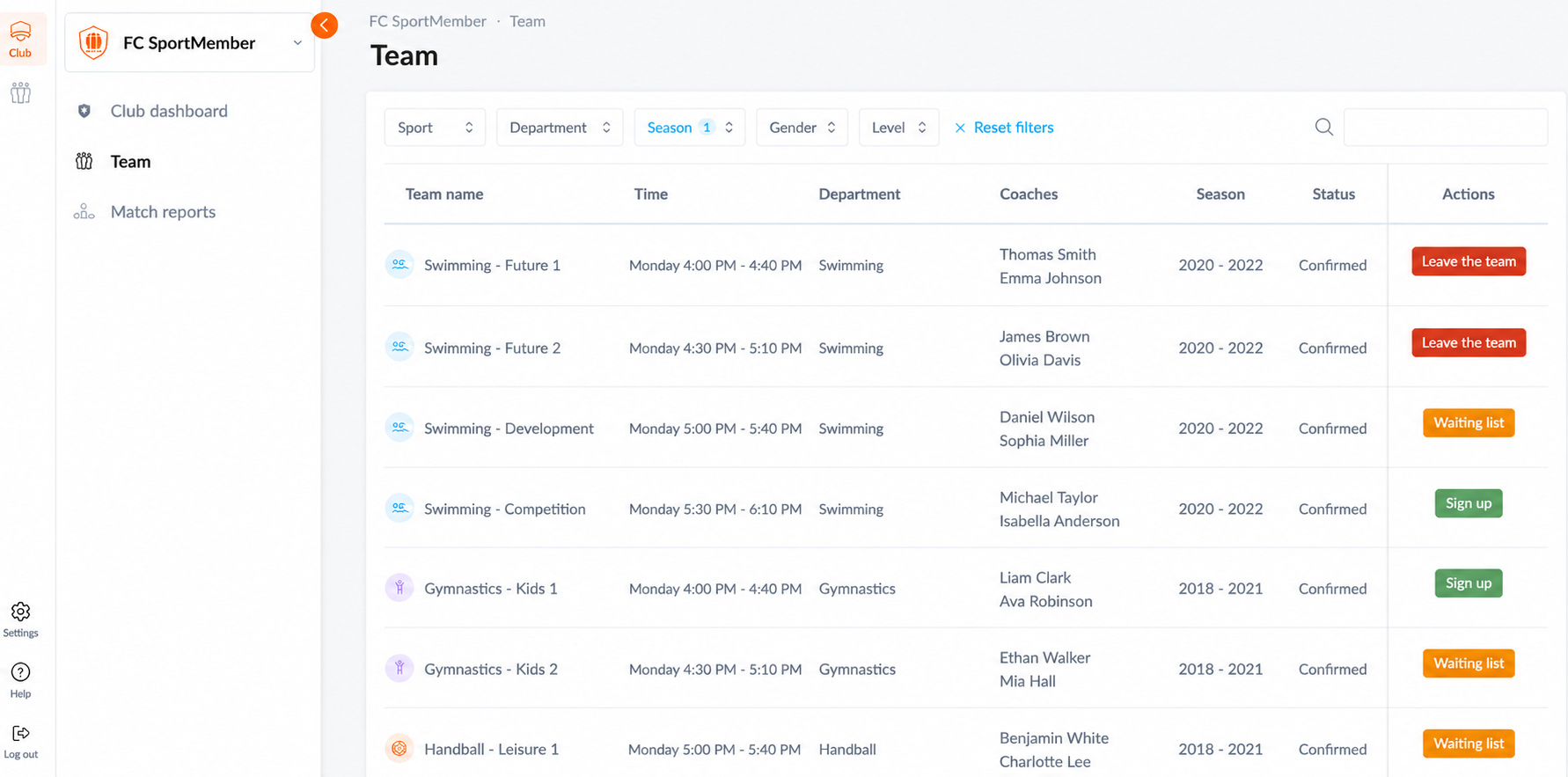
If you are already a member of a club and would like to switch to another team, you can view an overview of the teams that the club has opened for registration. This requires that the club has activated the registration page.
Go to Club level and then click on Teams in the menu on the left.
On the page, you will see an overview of the teams that the club has opened for registration, with the following options:
a. Register: You can either register for a new team or register for the same team again if the club requires you to confirm your participation for the next season. b. Leave team: If you wish to leave your current team. c. Join waiting list: If you would like to join a team where all spots are already taken, you can join the waiting list. You will receive an email if you are accepted onto the team.
Explora SportMember o crea una cuenta de inmediato y comienza a administrar tu club. También eres más que bienvenido a contactarnos, nos encantaría ayudarte a configurar tu club.